Uploading videos
To upload videos, follow these steps:
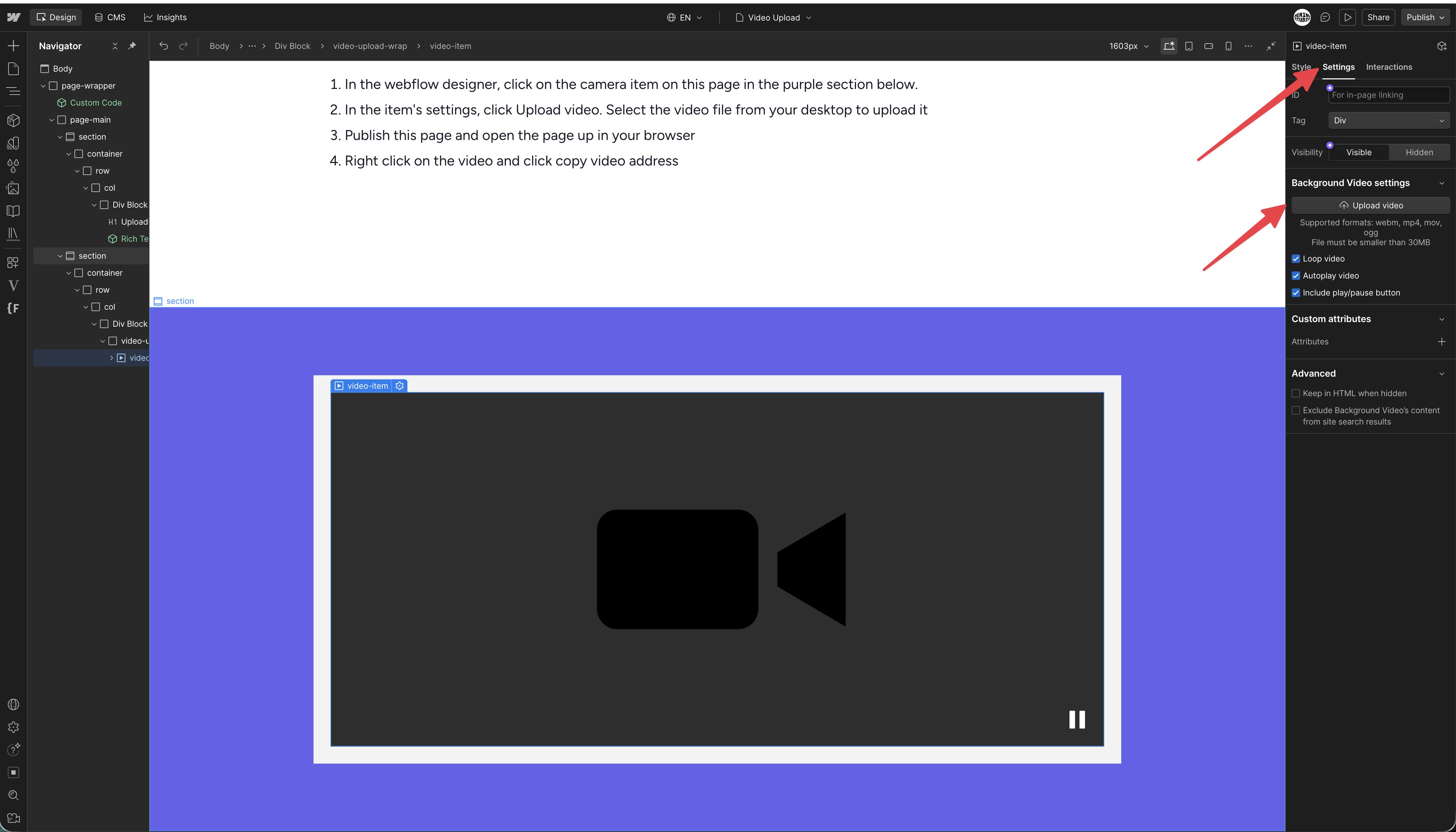
1. In the webflow designer, click on the camera item on this page in the purple section below.
2. In the item's settings, click Upload video. Select the video file from your desktop to upload it
3. Publish this page and open the page up in your browser
4. Right click on the video in the browser and click copy video address
